Soba
A synthesizer you build by drawing wires. Drop in oscillators, filters and effects, connect them, and play. You can watch the sound move through every cable as it happens. Written in Rust, from the audio engine up, and playable right here in the browser.
Clips
A whole song from one patch
Seventy-seven modules playing a four-and-a-half-minute song with nobody at the keys. The score is in the patch: three Arrangers count the song in bars, riding every fader, picking the drum patterns, pressing a looper's pedals and bending the master tape. This is the build into the drop: the camera holds on the tape as its wow pulls the whole mix out of true, then draws back to the full rack as it snaps straight on the downbeat. The whole song opens on a single sine wave and ends there too; the full 4:41 film is on YouTube, linked under And Since.
From nothing to a note
An empty canvas becomes a playable instrument in about twenty seconds. Each module comes from the quick-add palette: press Space, type a few letters, press Enter. Five cables connect them: the keyboard's pitch to the oscillator, its gate to the envelope, the oscillator and the envelope into the amplifier, and the amplifier to the speakers. The cables stay dark until Play is pressed, then light up with the first note.
Turning a knob
A bassline through a filter. As the cutoff knob turns, the curve in the filter's display moves with it, over the spectrum of the sound passing through, and the sound goes from muffled to bright. More resonance adds a peak at the cutoff. Sweeping back down with the peak raised gives the squelch of classic acid bass. The orange cables draw the envelopes' shapes beside them as they move.
Chords as bundles
A slow pad played in chords. One cable can carry up to eight voices, and it's drawn as a bundle of strands, one per voice. Only the strands with a note on them light up, so you can watch a five-note chord travel from the keyboard through the oscillator, filter and envelope to the amplifier. Chorus and reverb come after, off to the right.
A bell from two sine waves
FM synthesis: one sine wave bends the pitch of another, hundreds of times a second. The melody starts as a soft bell. Turning up the FM depth makes it brighter and more metallic, and turning it most of the way down leaves an almost pure tone. A second envelope makes each note start bright and fade pure, the way a struck bell does.
Footswitch and tape
A step sequencer plays a riff through distortion and delay. Every effect has a power switch, like a guitar pedal: the distortion goes out, comes back in, and gets more drive. Then the delay switches to tape mode and its feedback goes up. Each echo now comes back a little darker and rougher, with the slight wobble of a tape transport. With tempo sync off, turning the delay time bends the pitch of the echoes already in flight, as it would on a real tape machine.
Three dancers, three parts
The Dancer is a stick figure that dances on the patch's beat, with bigger moves when the music it hears gets louder. Here three of them stand on one stage over a funk vamp, and each one hears a different part of the band: the robot on the left hears only the bass, the headbanger on the right only the drums, and the big one in the middle the whole mix as it leaves the tape. Every four bars, as a crash marks the turn of the phrase, the dancers change step and the one in the middle makes a big move: a spin, a reach, a jump.
Screenshots
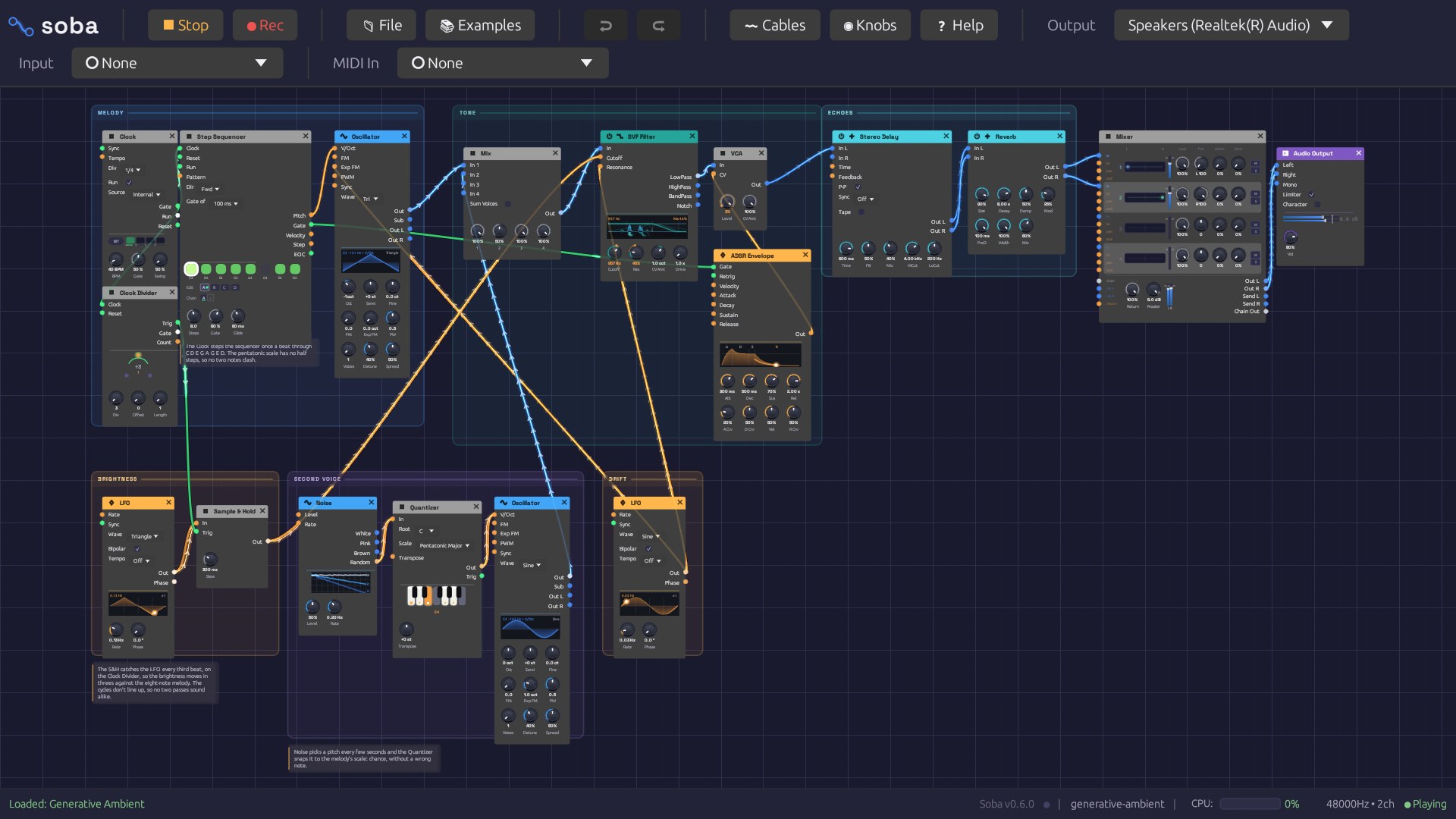
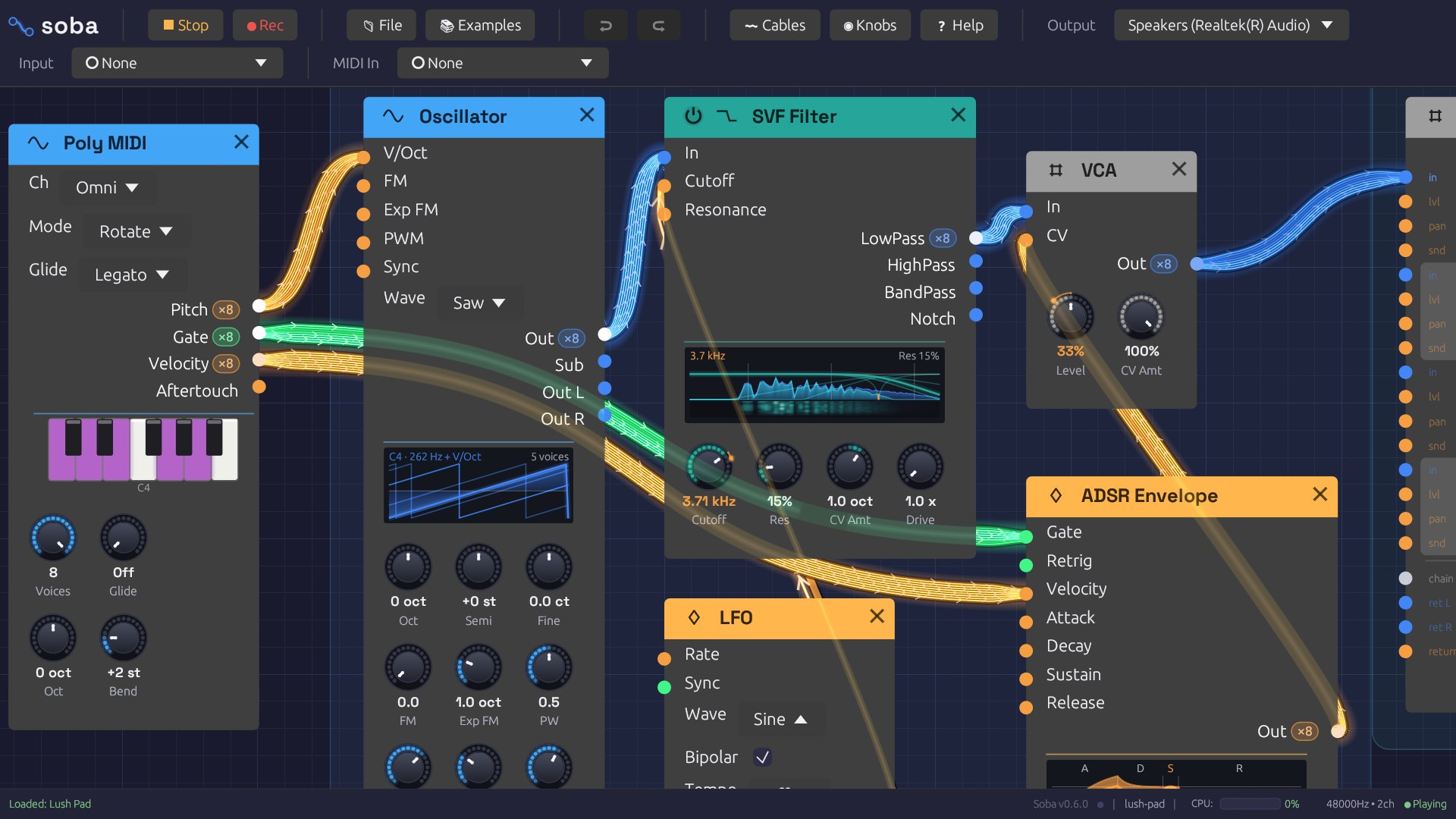
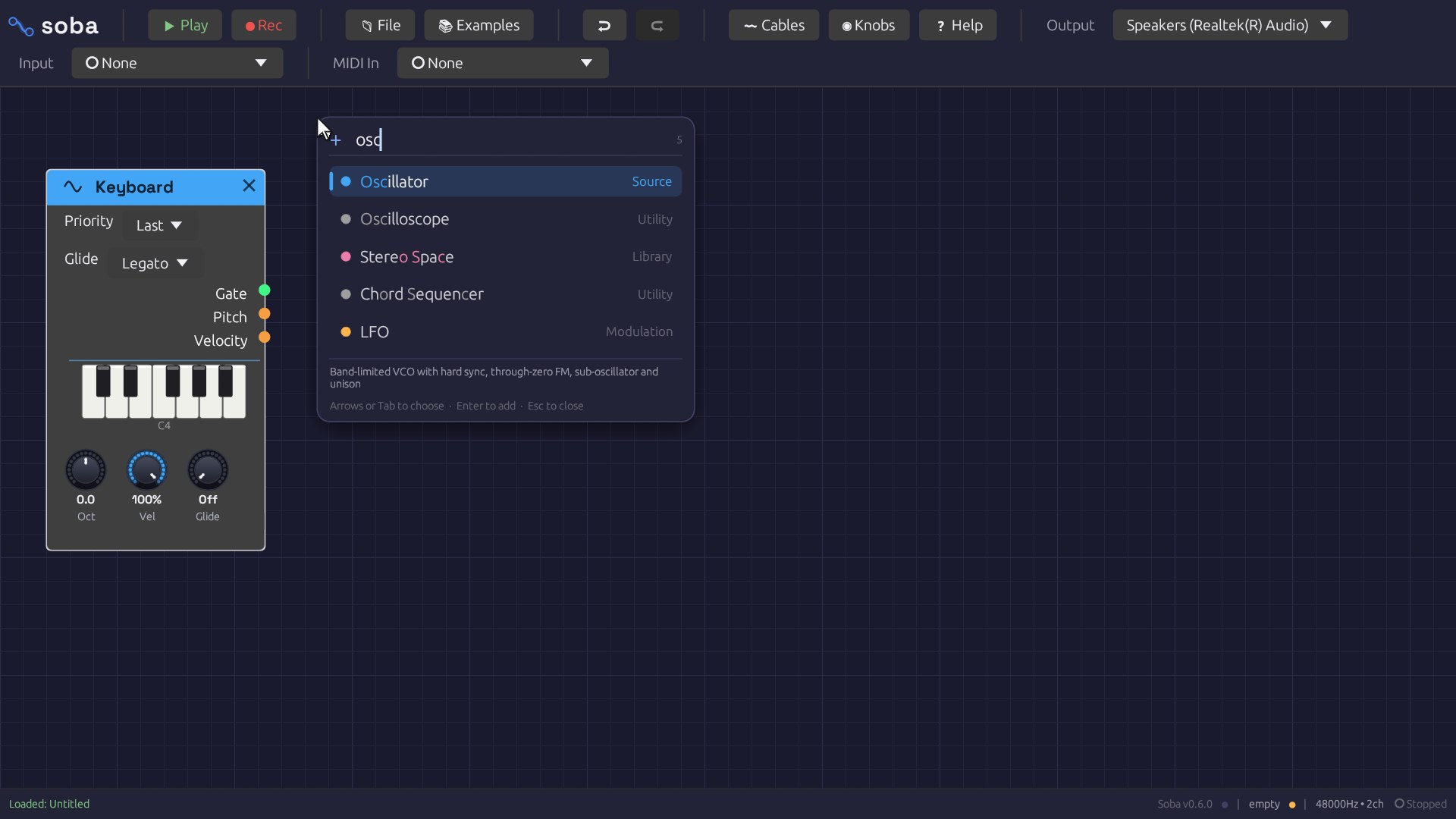
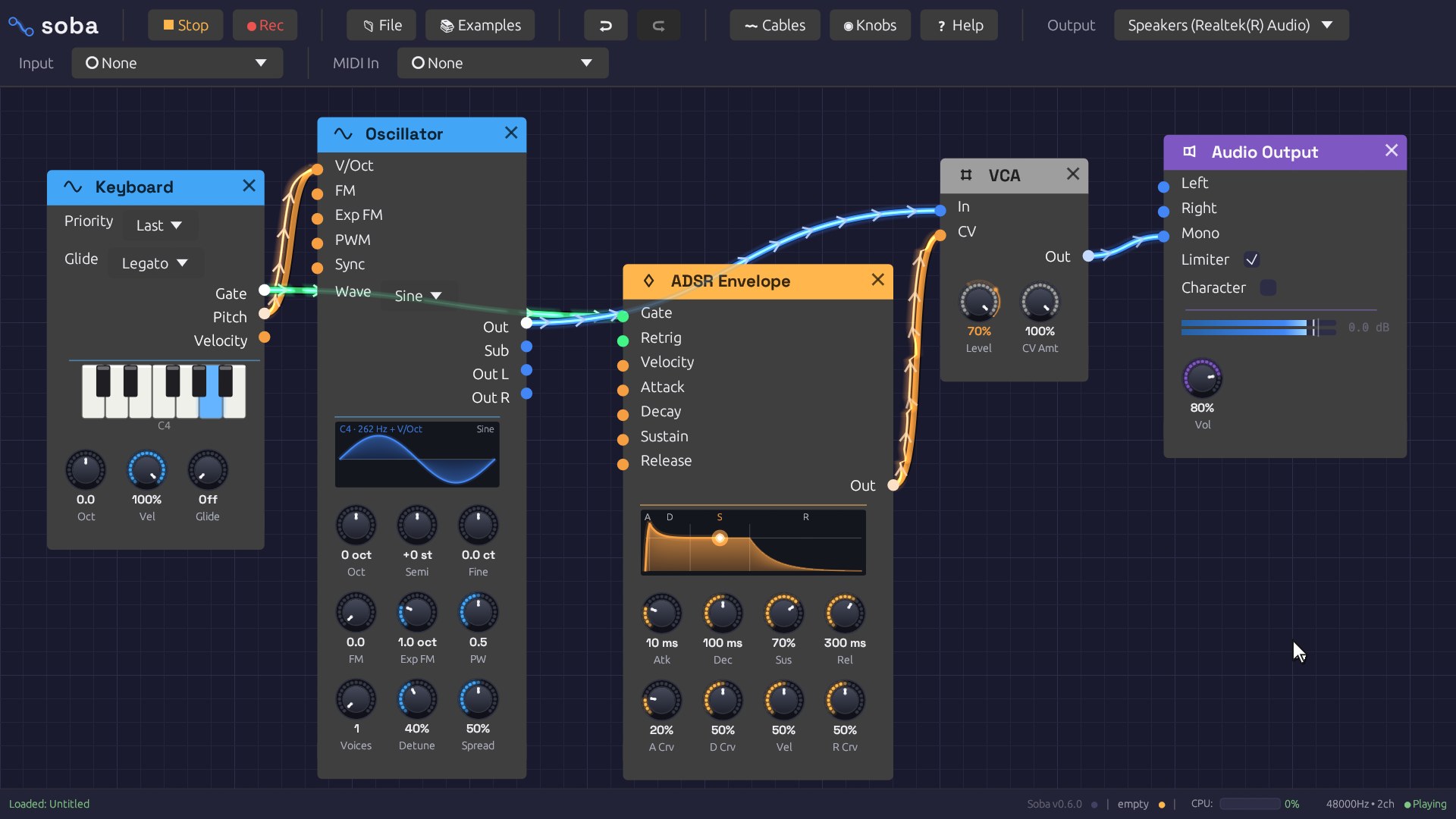
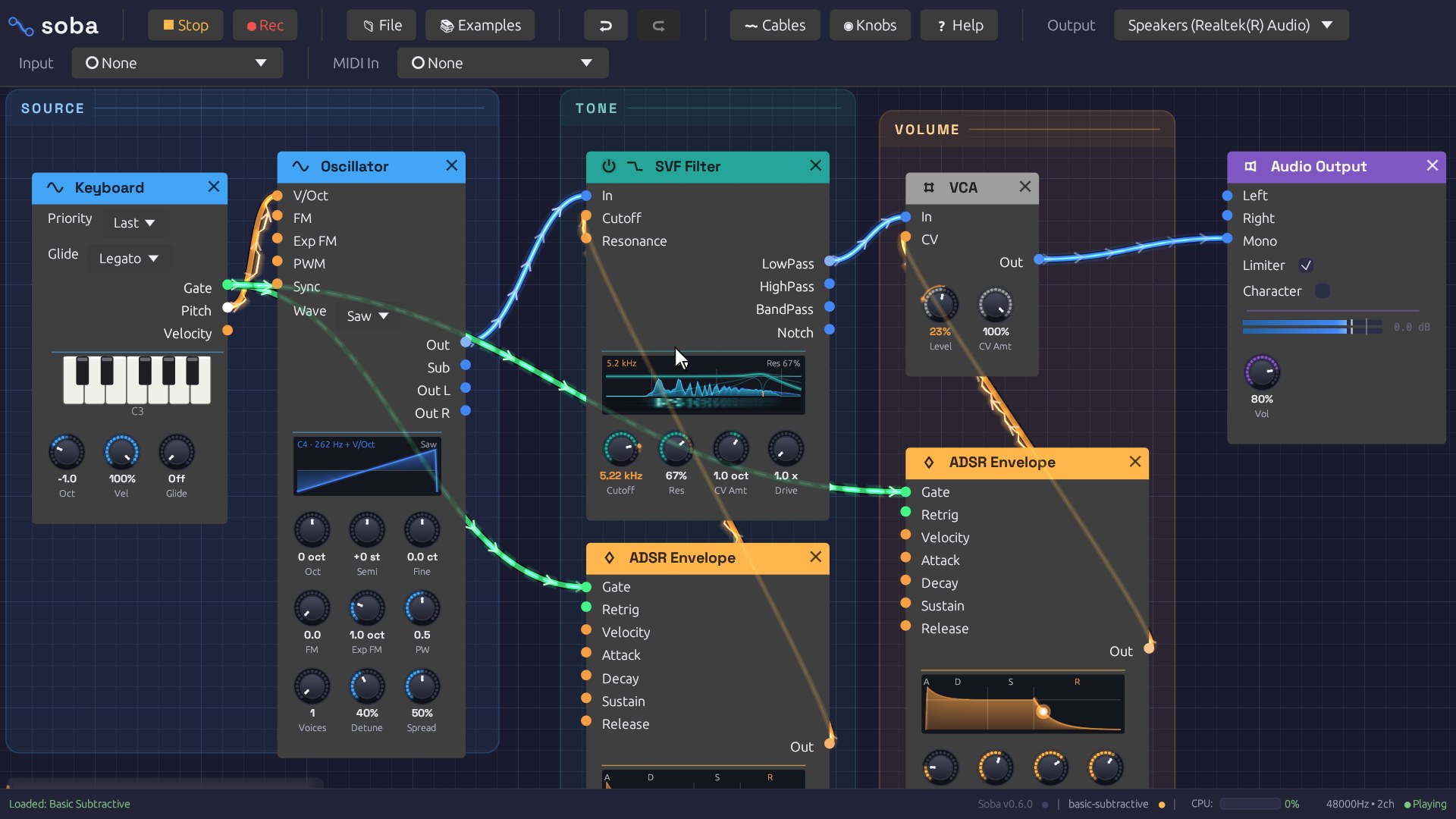
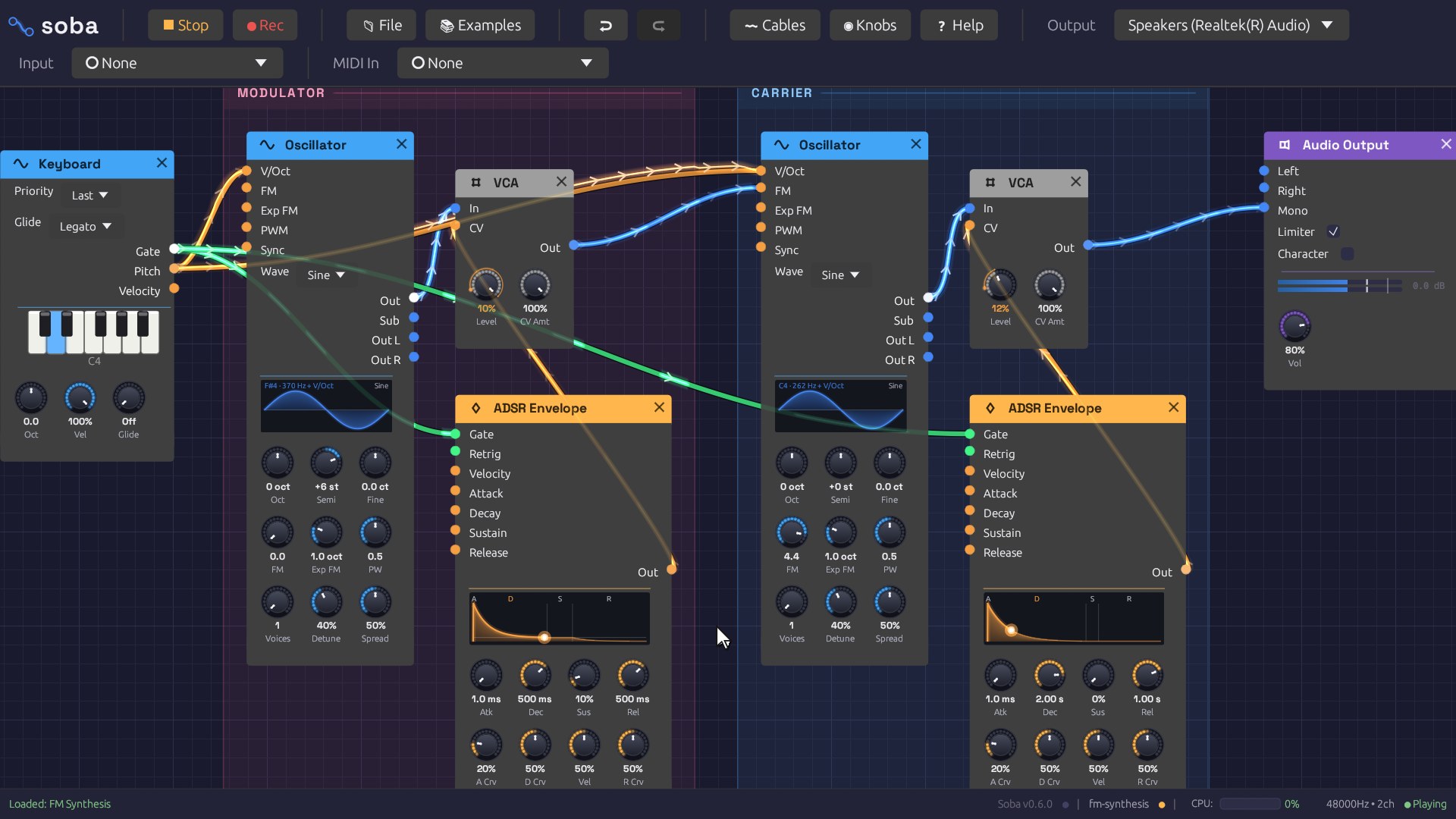
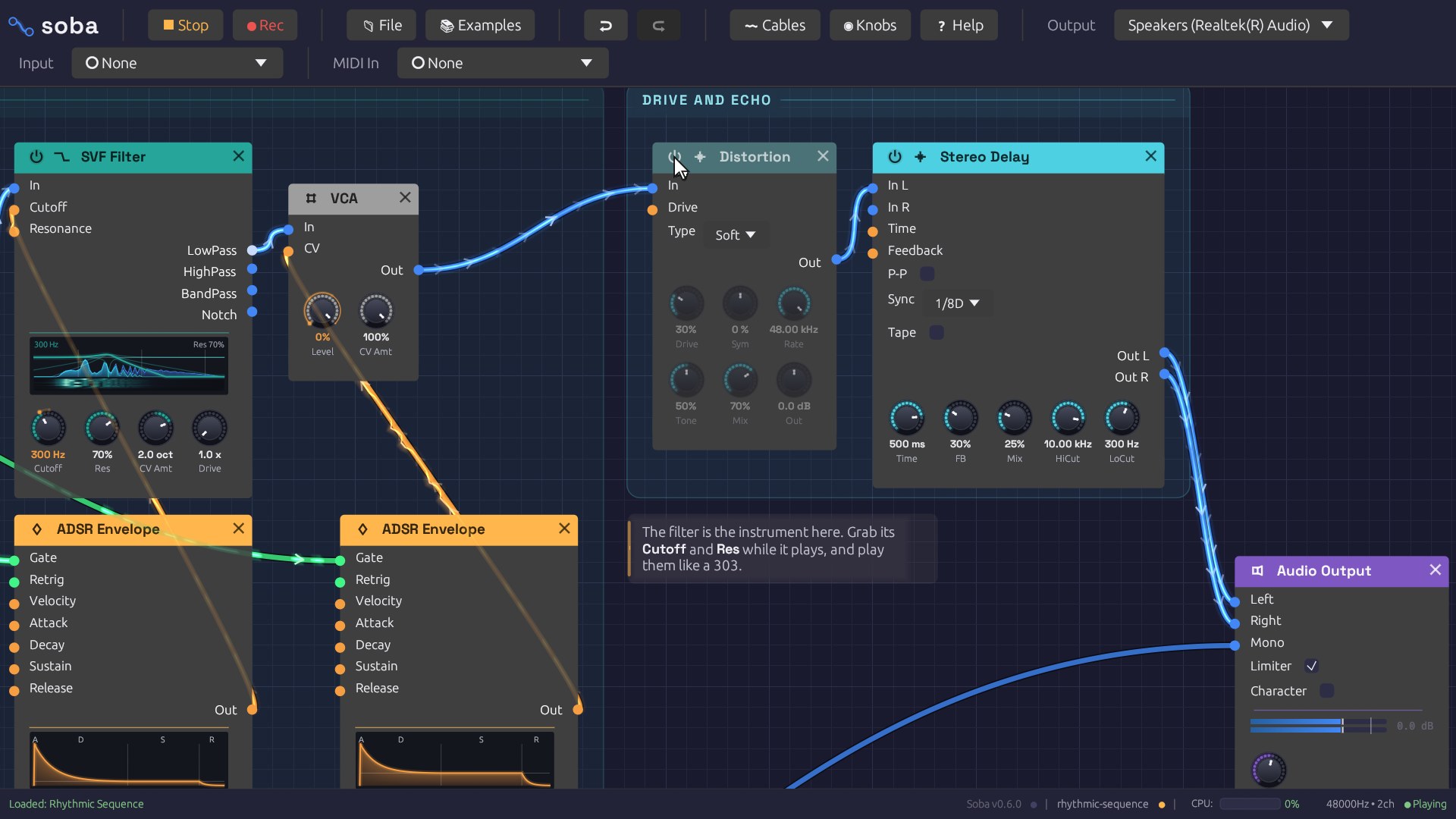
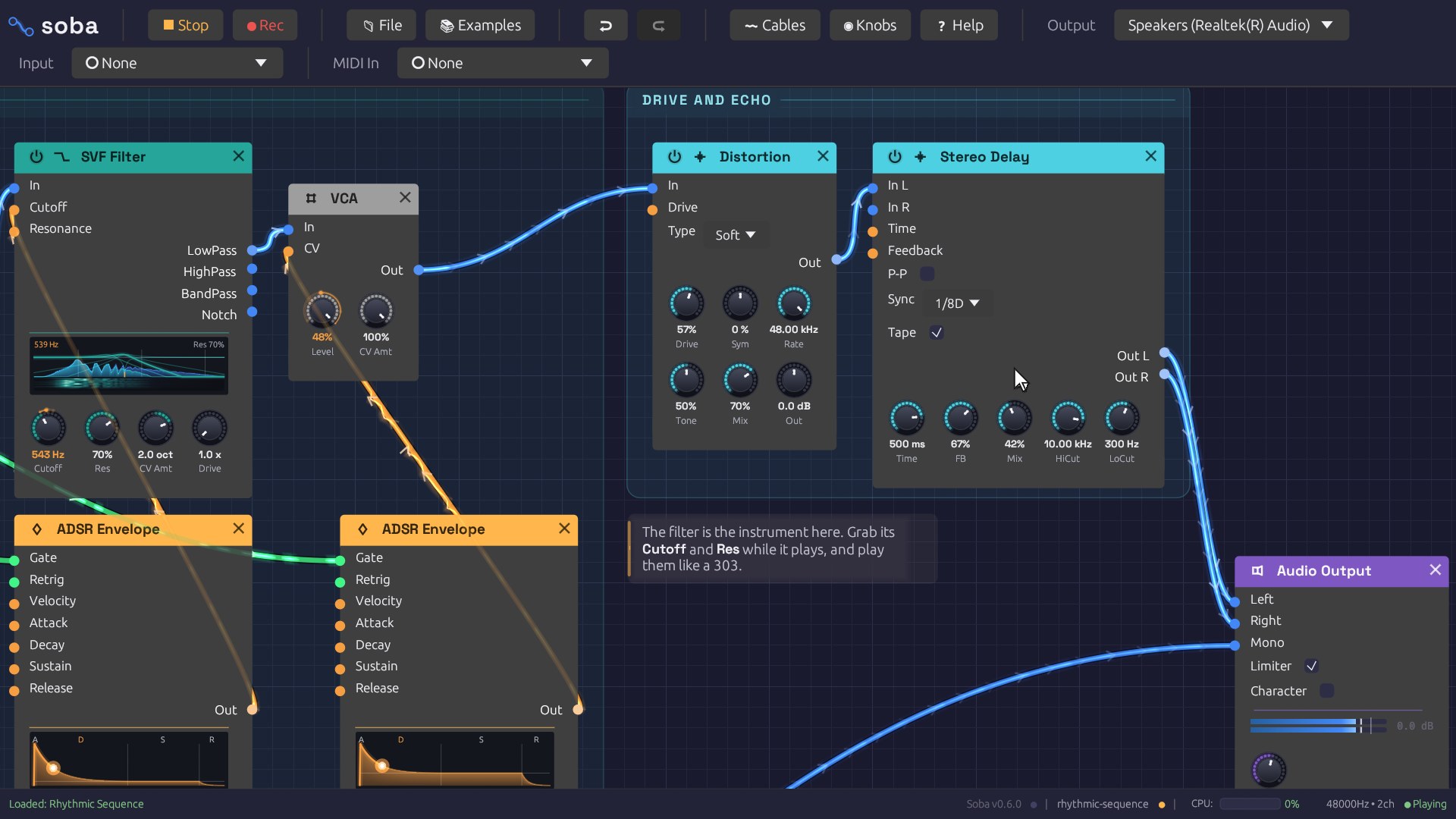
About
A modular synthesizer is an instrument taken apart. One box makes a tone, another shapes its brightness, another opens and closes its volume, and others add echo or bend the pitch. Nothing is connected until you plug cables between them, and the way you connect them is the sound. Hardware modular synths can fill a wall and cost thousands. Soba puts the same idea on a screen: each box is a module, and each cable is a line you draw from one module’s output to another’s input.
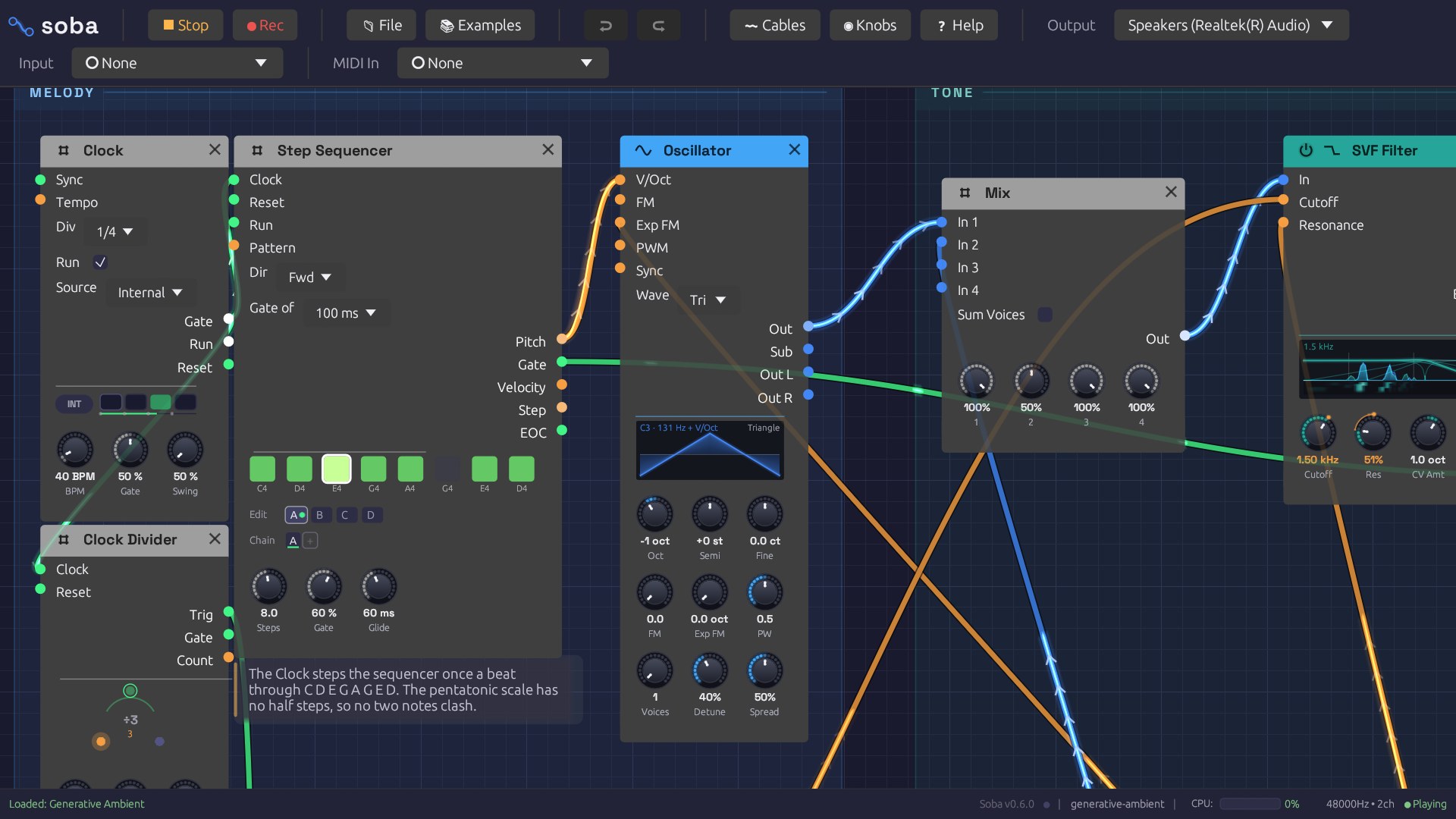
The cables aren’t just lines. Each one shows what it’s carrying, flowing from output to input. A note travels as a packet of light, a slow modulation draws its own waveform beside the cable, and a chord splits into one glowing strand per voice. You see a patch working while you hear it.
It was called Modular until October 2026, which said what it was and nothing else. The new name comes from the cables. Blender, whose node editor this one takes after, calls the wires between nodes noodles, and soba are long, fine noodles. In Japanese, soba (傍) also means “beside”: an instrument whose patches sit by you and explain themselves.
The film at the top is one of the built-in example patches playing itself. A slow clock steps through an eight-note pentatonic sequence, a sample-and-hold picks a new brightness for each note, and long echoes and a large reverb do the rest. The camera follows the signal from the clock to the speakers, then pulls back to show the whole patch. The film and every clip have sound: press Turn sound on in the corner of any video.
What’s In It
Twenty-six modules, colour-coded by what they do:
- Sources: an oscillator with sine, saw, square and triangle waves, a sub-oscillator, hard sync, through-zero FM, and up to seven stacked voices for a supersaw; noise in four colours (white, pink, brown and smooth random); and an audio input for a microphone, guitar or line source, which follows its level and opens a gate on loud hits
- Filters: a state-variable filter with four outputs, and a four-pole ladder filter that saturates when pushed, like the classic analog ones
- Modulation: envelope, an LFO that can lock to the tempo, a clock that can follow MIDI clock, step sequencer, sample-and-hold, attenuverter, and a quantizer that snaps pitch to a scale
- Effects: stereo delay with tape mode and tempo sync, reverb, chorus, distortion with a wavefolder, compressor, parametric EQ
- Playing it: your computer keyboard (the bottom row is a piano), the on-screen pianos (hold a key with the mouse or a finger), MIDI keyboards, a Poly MIDI module that turns chords into multi-voice cables, and glide between notes
- Utilities: VCA, a stereo mixer with pan, mute and meters for each channel, oscilloscope, MIDI monitor, audio output
Cables are colour-coded too: blue for audio, orange for control signals, green for gates and triggers. When a cable is plugged into a knob’s input, the cable takes over and the knob turns by itself to show the incoming value. Unplug it and the knob is yours again, as on a hardware synth.
A patch can be laid out like a page. Frames put a title behind a section of modules, and notes explain them, so every example reads as a lesson you can play. When a patch grows, select a few modules and fold them into a group: one node with its own jacks, and only the knobs you pin to its face. Open it to work inside, and save it to My Modules to drop into any patch, like a module you made yourself.
Coming Back To It
I built the first version in a three-day sprint in January. It looked finished, with twenty-one modules and a polished interface, but several knobs didn’t do what they said. The oscillator played a major sixth sharp, the filter couldn’t open past 6.5 kHz, and the reverb’s Size knob wasn’t connected to anything. In October I came back with one rule: every knob keeps its promise. Thirty commits later:
- In tune, and proven so. Tests render patches offline and measure them. Middle C must be within half a cent of 261.63 Hz, a filter must be 6 dB down at its cutoff, and a reverb must decay at the rate its knob says.
- Better sound everywhere. The filters were rebuilt with a modern design (topology-preserving transforms) that stays stable and musical across the whole range, and a ladder filter joined them. The reverb became a modulated feedback delay network, a much richer kind. The distortion now oversamples and uses antiderivative anti-aliasing, so it saturates smoothly instead of fizzing. Envelopes hit their stated times and respond to how hard you play.
- Polyphony. Cables can carry up to eight voices, so one patch plays chords.
- An audio thread that never waits. Sound has a hard deadline: a few milliseconds late and you hear a click. The audio thread now never allocates memory, takes a lock or waits on the interface, and a test in CI enforces it.
- Easier to use. Undo and redo, the quick-add palette, copy and paste, bypass switches, six example patches that teach the basics, and autosave with crash recovery.
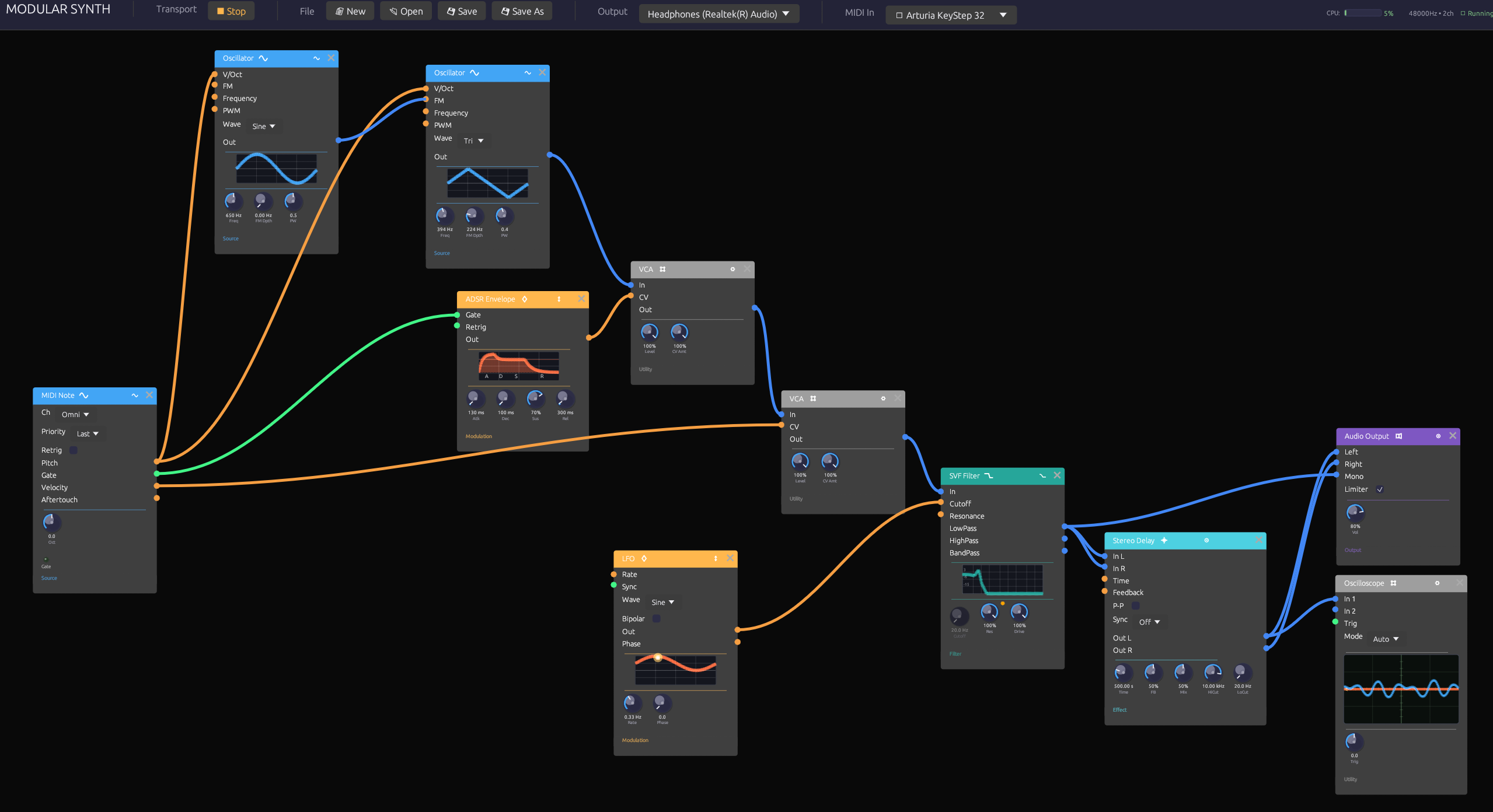
- Cables that show the recent past. Each cable displays the last few seconds of its signal, moving at an even speed from output to input.
The last screenshot is the January version, for comparison.
And Since
A second round followed: the groups, frames and notes above, and then:
- Live input. A microphone, guitar or line source can go through the filters and effects, and the status bar shows the measured round trip from input to output. With the low-latency Windows build, an audio interface’s own ASIO driver brings that to 11 to 20 ms, quick enough to play against.
- Recording. One button (
Ctrl+R) writes what you hear to a WAV, sample for sample, while you play and turn knobs. Each take is saved with the patch that made it. - A whole song. From One Sine is 4:41 of D minor played by one patch: 77 modules, 30 of the 38 kinds, and a score written into three Arrangers. Watch the whole song on YouTube, filmed in the app as it plays.
- Three more patches that play themselves: surf and a glassy chime from a single noise source, a full drum kit built from oscillators and noise, and an arpeggio walking through a chord progression over a warm pad.
- In the browser. The same app compiled to WebAssembly, so this page and every recipe in the documentation can be played without installing anything. Browsers render sound in buffers handed over on the page’s own thread, and one late buffer was enough to garble everything after it. A small fix in the page makes a hiccup cost one short dropout instead. In 30-second test runs in Chrome, Edge and Firefox, with the whole patch redrawing every frame, there were none.
How It’s Built
Soba is written in Rust, with egui for the interface and my own fork of egui_node_graph2 for the editor and cable drawing. Audio goes through cpal and MIDI through midir. All the signal processing is written by hand rather than taken from a library, because this project is how I learn audio programming.
- Two threads, no locks. The interface and the audio engine each keep their own copy of the patch. When you make an edit, the interface compiles the patch into a plan: modules sorted into processing order, with every buffer allocated in advance. The plan goes to the audio thread through a lock-free ring buffer. The audio thread swaps it in between buffers and sends the old one back for the interface to free. A test runs the audio callback under a counting allocator through every kind of edit, and fails on a single allocation.
- Sample-accurate MIDI. Notes are timestamped when they arrive and placed at the matching sample of the next audio buffer, so a fast run of notes keeps its rhythm.
- Measured, not just listened to. An offline renderer runs any patch without an audio device. The test suite (over a thousand tests) uses it to check pitch, filter response and reverb decay, and to make sure every example patch produces clean, unclipped sound.
- Built with Claude. Like my other recent projects, Soba was built in close collaboration with Claude, Anthropic’s AI model: 160 of its 172 commits are co-authored. I set the direction and the taste and made the calls. Claude did much of the implementation, kept detailed notes, and wrote the tests that hold the instrument to its promises.
Every clip on this page was filmed from the app itself, by a capture mode built for this page. The app’s clock moves forward exactly one video frame at a time, and the audio engine renders exactly that frame’s slice of sound, so picture and sound can’t drift apart. A script plays the keyboard and moves the mouse through the same input paths a person uses. The pointer you see is drawn in for the camera, but every click, drag and keypress is real. Nothing else was edited except trimming, crossfading the film’s loop point, and matching loudness between clips.
Trying It
The quickest way in is Play in browser: the whole app, running in the page, with nothing to install. Press Play, then play notes on the bottom row of your keyboard (Z is C), or hold the keys of the on-screen piano. It works on a phone too: pinch to zoom, and drag to look around. Every recipe in the documentation can be played on its page the same way.
For MIDI keyboards, live audio input, recording and the lowest latency, download the app. The downloads above are v0.8.0: an installer for Windows, a disk image for each kind of Mac, and a zip for Linux. Every release also has plain zips, for running without installing. From v0.4.0 on, the app tells you when there’s a newer version and installs it in place.
On Windows there are two. The standard build plays through Windows Audio, like any app. Windows (low latency) can also run on an audio interface’s ASIO driver: install the interface’s driver, then choose ASIO in the Output menu, for 11 to 20 ms from input to output instead of about 60. That build includes Steinberg’s ASIO SDK, so it’s licensed under the GPLv3 rather than MIT; the download says how, and the SDK’s source is on the same release.
 ASIO is a registered trademark of Steinberg Media Technologies GmbH
The Examples menu has nine patches to start from. Press Space over the canvas to add a module, and drag from an output jack to an input jack to connect two modules. The documentation has recipes that walk through the example patches.
Technical Details
- Language: Rust (about 60,000 lines)
- Runs on: Windows, macOS and Linux, and in the browser as WebAssembly (built with trunk)
- Interface: egui / eframe, with a fork of egui_node_graph2 for the editor, cables and poly bundles
- Audio and MIDI: cpal and midir, with sample-accurate MIDI scheduling on the audio thread; optional ASIO for low-latency input on Windows; WebAudio in the browser
- Engine: the graph is compiled into a plan off the audio thread and handed over through rtrb lock-free ring buffers; no allocation, locking or blocking in the callback; denormal protection and an output limiter
- DSP: PolyBLEP oscillators, TPT state-variable and ladder filters, oversampled distortion with ADAA, a feedback-delay-network reverb, and a delay with a tape mode (wow, flutter, record-head saturation, tape loss)
- Testing: 1,013 tests, an offline renderer with measurement helpers (including a hand-rolled FFT), and an allocation guard in CI
- Patches: JSON, with parameters saved by name so old patches keep loading as modules change